Upgrading to Windows 11✯
You are currently using Windows 10 and need to upgrade to Windows 11. Please follow this guide.
To check if your computer can run the new Windows 11 operating system, download and install the PC Health Check compatibility tool: https://aka.ms/GetPCHealthCheckApp
It is possible that your computer (if very old) may not be capable of migrating to Windows 11. In this case, please submit a ticket on support.isima.fr and attach a screenshot of the complete results from the compatibility tool if possible.
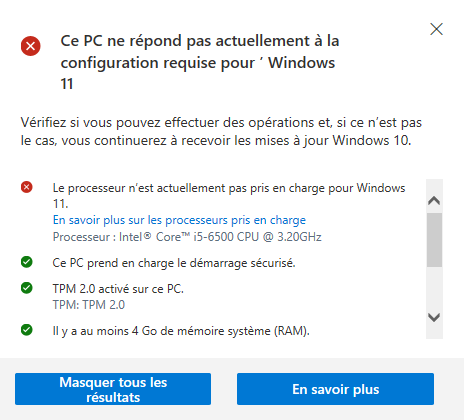
Normally, you have administrator rights to perform this operation yourself.
Perform the latest updates✯
If your computer has not received updates for a long time, this step is necessary.
In the search bar, type Windows Update to reach the following screen.
Launch the updates and restart your computer when prompted.
Start the Windows 11 upgrade✯
In the search bar, type Windows Update to reach the following screen.
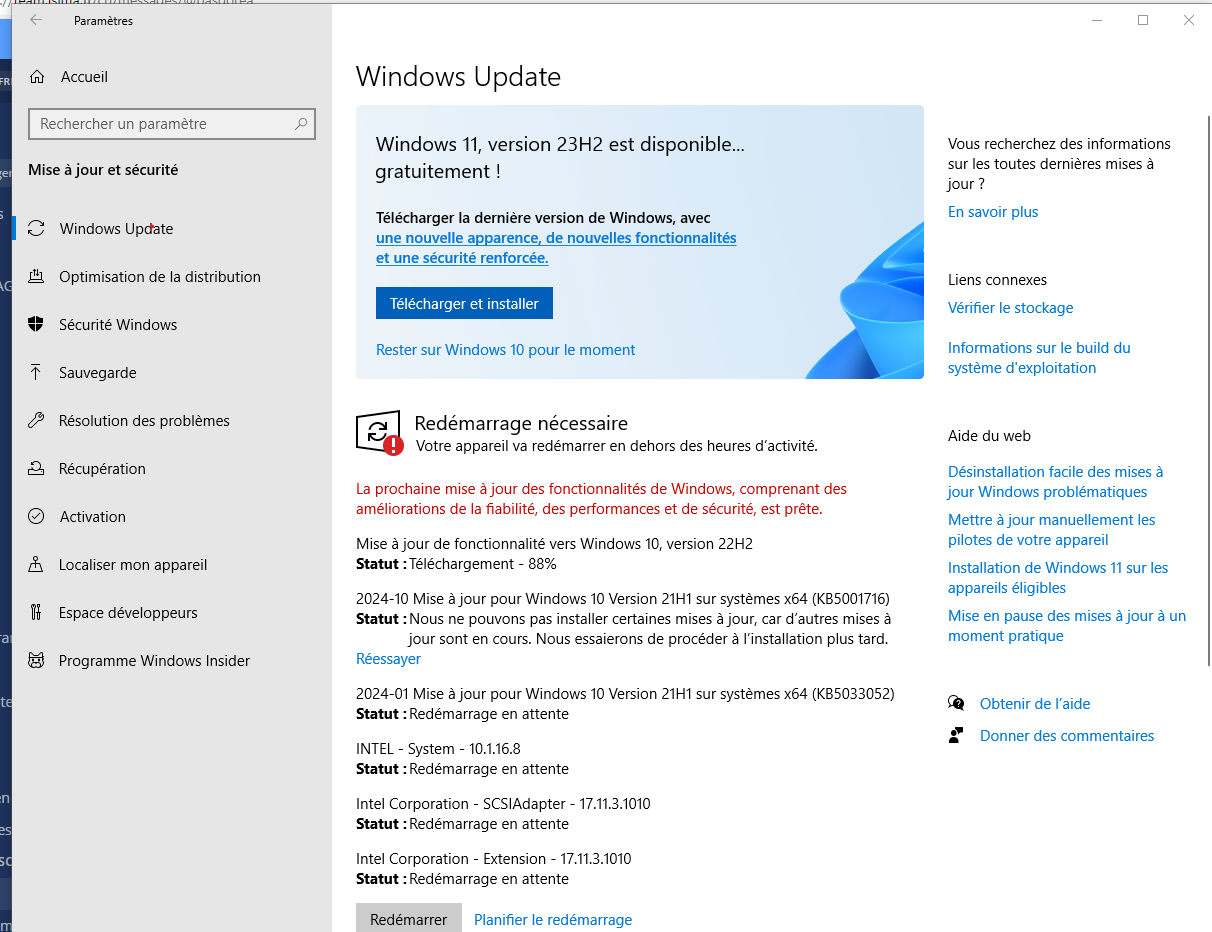
Click the Download and install button in the Windows 11 window.
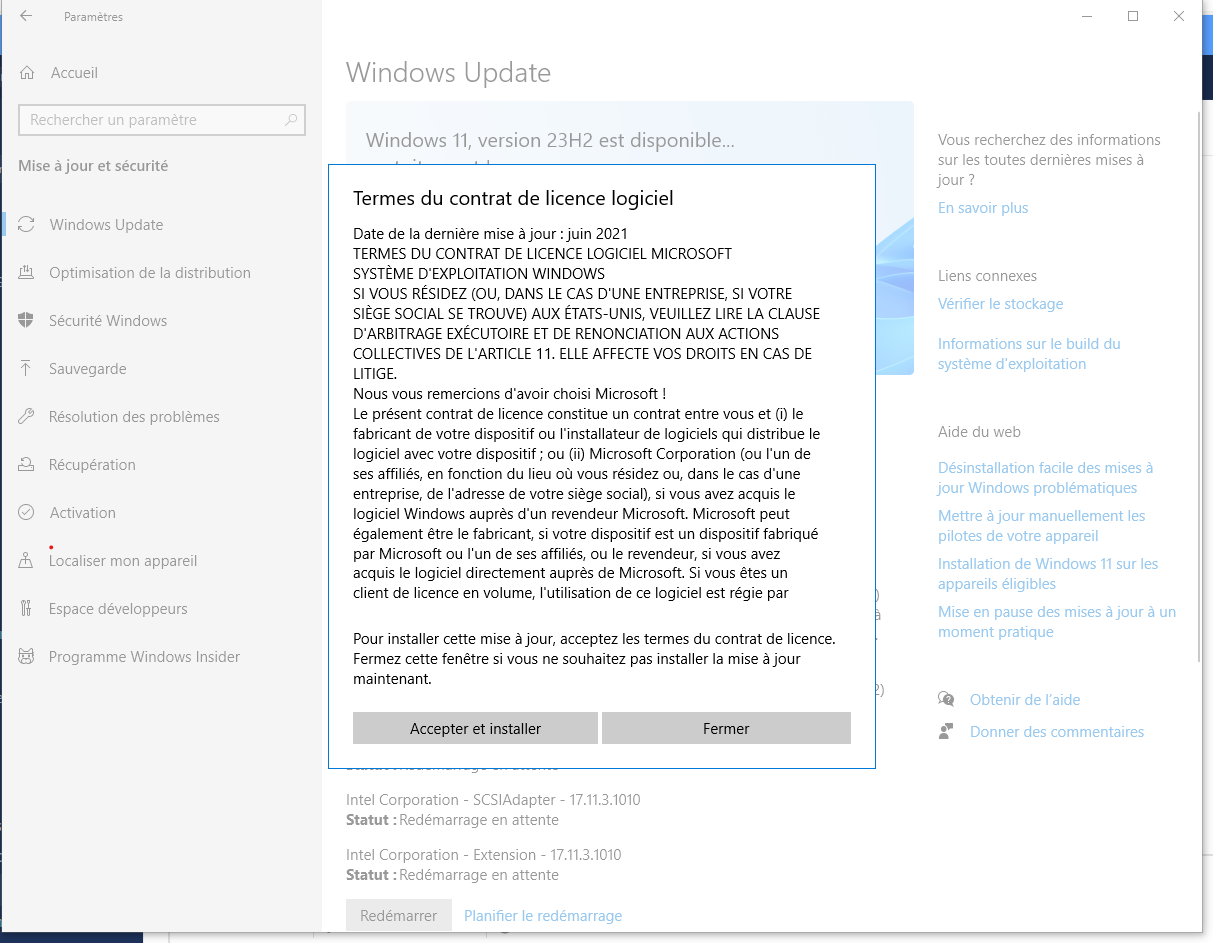
Accept the terms of the agreement by clicking Accept and install.
The download will then begin. You only need to wait.
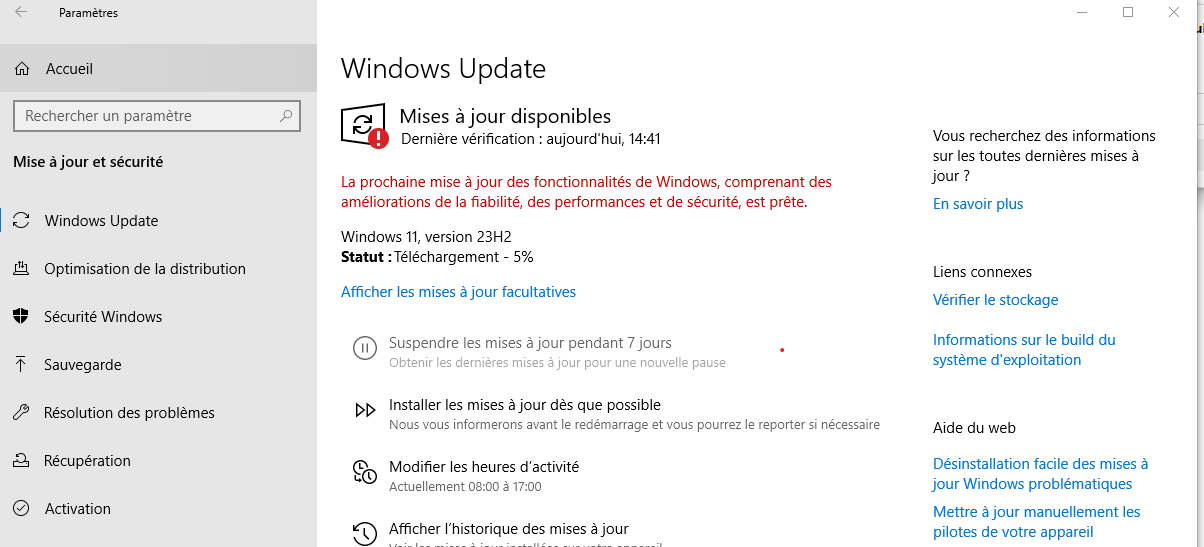
Once the download is complete, restart your PC at your convenience (now or when leaving).