Using Touchscreens✯
Synchronizing the Touchscreen, Projectors, and Computer✯
This synchronization only works on staff Windows computers in the following rooms:
- B011
The goal is to be able to use the computer through the touchscreen (or directly on the computer) and see the result on the projectors.
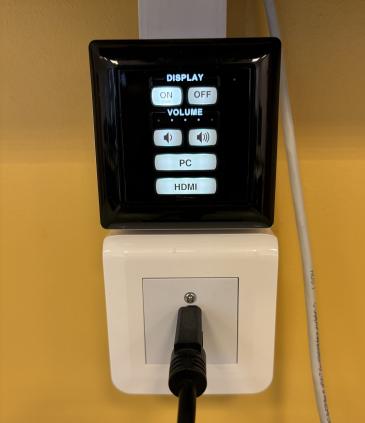
Start by turning on the projector(s) (press the ON button) and the staff Windows computer
On the touchscreen, switch to "Presentation" mode by pressing PRESENT
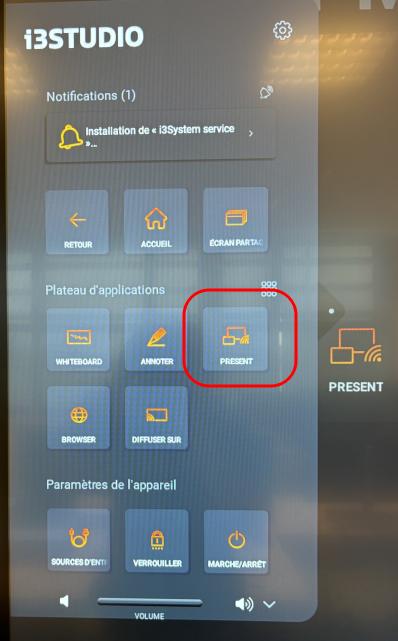
A 4-digit code will then appear on the touchscreen
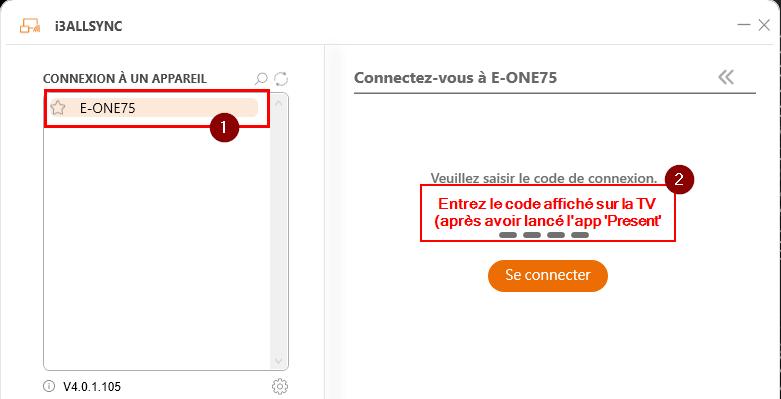
On the Staff Windows PC, open the i3ALLSYNC software
You will find the name of the touchscreen already indicated on the left screen
On the right screen, enter the code displayed previously on the touchscreen and click Connect
A new screen will appear. Click the arrow in the bottom left corner to start synchronization
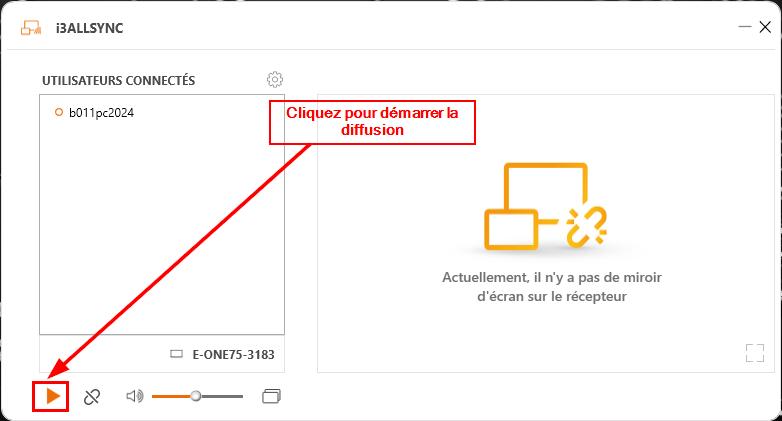
Now you can use either the computer or the touchscreen interchangeably, and the result will be displayed on the projectors.