Installing the client✯
Windows✯
Do not download OpenVPN Connect, which is not the same product
An up-to-date version of OpenVPN is recommended. We advise you to update your client if you are experiencing connection issues. As of today, the latest client version is ≥ 2.6.10
-
Download the Windows 64-bit MSI installer OpenVPN client version 2.6.x by clicking on this link: https://openvpn.net/community-downloads/
Note that the screenshots were taken with OpenVPN 2.4.x, but the current version is 2.5.x
-
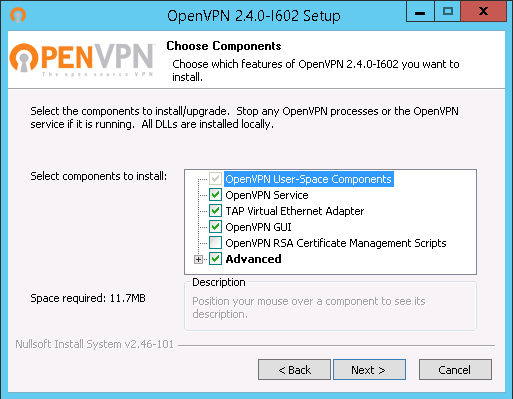
Run the installer, click 'Next':
-
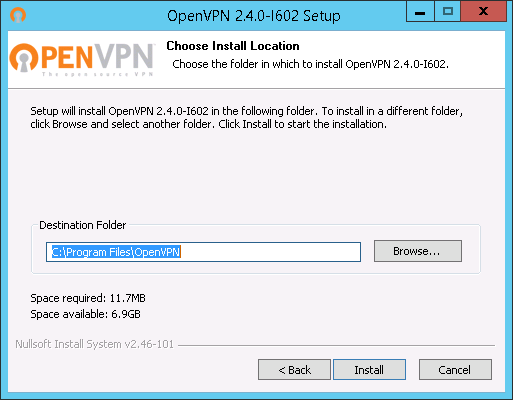
Click 'Install':
-
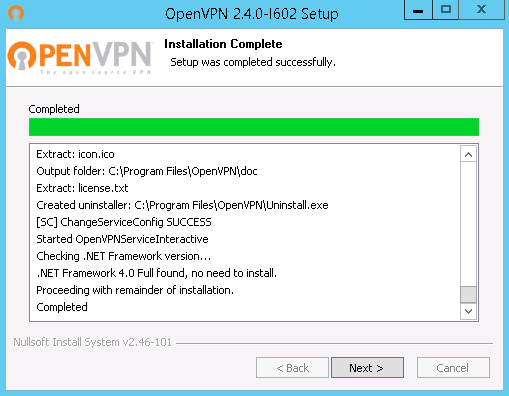
Once the installation is complete, click 'Next':
-
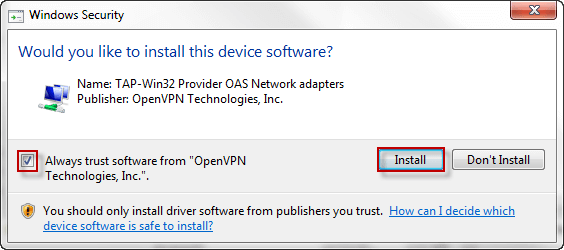
You may be prompted to install a TAP driver. Check the box and click 'Install':
-
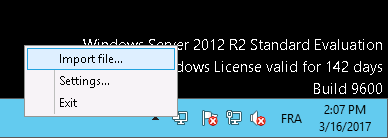
In the OpenVPN menu (bottom right in the systray), click "Import file":
-
Select the previously downloaded ovpn file
-
Click 'OK':
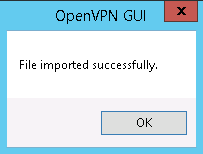
Repeat steps 6 to 8 for all ovpn files you have downloaded.
If you have existing connections in OpenVPN that you want to remove
You can delete the connections you no longer need in OpenVPN. You must delete the directories in:
- C:\Users\<your account>\OpenVPN\config\
- C:\Program Files\OpenVPN\config\
Simply delete the directories named after the connections