Population Group Management✯
Users and Other Entities✯
Users correspond to accounts created by the UCA during their academic registration or contract validation.
The UCA assigns each user to groups, but very often with insufficient granularity to match our information system.
Thus, in some cases, the groups in our IS correspond exactly to UCA groups, such as for first-level student groups (fise1, master2-glia, licence2...); in other cases, users must be manually added to groups (e.g., when a new PhD student arrives).
How to manage a user not created by the UCA?
In this case, it is possible to request the creation of a user who will exist only in our IS (not in the UCA system). See the section Requesting the creation of a user in MY
How to differentiate between homonyms?
Each user has a username, here a concatenation of their first name and last name. If multiple people share the same first and last name, the username is unique.
Other Entities✯
Since the system can only represent accounts and groups, entities such as associations, service emails, and service accounts are also managed as users.
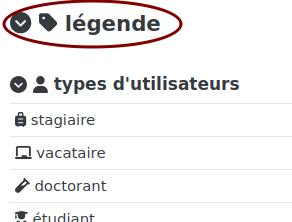
To quickly identify the type of user/entity, these are associated with a specific avatar.
The list of different user types can be found under the Legend tab.
Searching for a User in MY✯
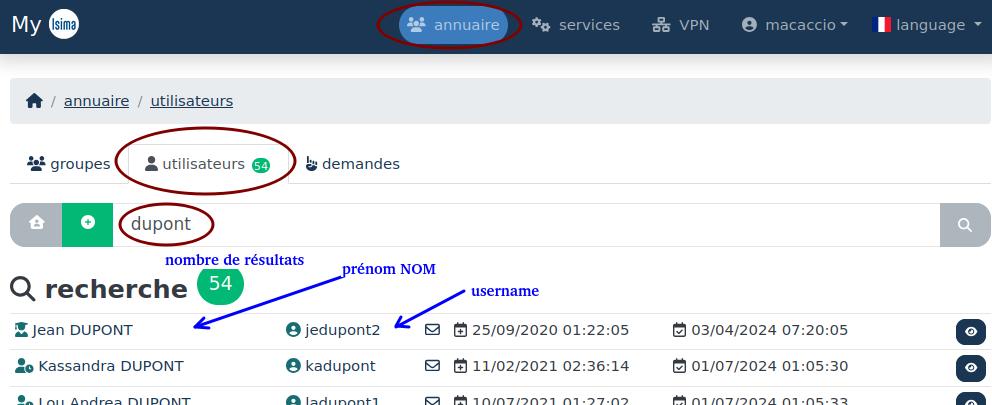
To search for a user, go to the Directory tab, then Users, and submit a query in the search box.
You can search for a user by their name, first name, or username.
Depending on the case, you may get a list of results, a single result, or no results if your search does not match any user.
Tips
The query can be truncated ("Dupon" instead of "Dupont"), accents and case are ignored.
Info
Icons indicate the type of user, and colors indicate their origin (ISIMA, LIMOS, INP, UCA, etc.). Consult the legend for more details.
Adding a User to a Group in MY✯
By clicking on a user, you access their profile and information.
You can add a user to a direct parent group by typing the group name in the search box, selecting it, and validating by clicking the green (+).

Adding a user to a group is subject to conditions
- You cannot add users to an "intermediate" or "scripted" group.
- You can add a user to a group if your role allows it.
- You can add a user to a group if you are the manager or contact for that group.
Requesting the Creation of a User in MY✯
In some cases, you may want to add a user to a group who does not exist in the information system (i.e., does not have a UCA account).
This may apply to people who have not yet completed their academic registration (student) or contract (PhD student, PostDoc, etc.) and need access to certain services.
It may also apply to people who are not supposed to have an account, such as researchers from other labs or foreign students on a temporary stay.
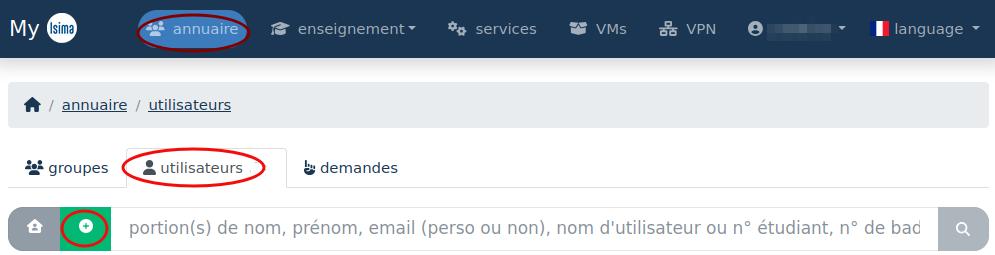
You can then request the creation of a user. In the Directory > Users section, click the green (+).
A new window opens, allowing you to choose the type of user to create. For many types, you must distinguish between a user without a UCA account and a user awaiting their UCA account. Validate to access the next window.
You will then need to fill in some administrative information (name, first name, email, description) and possibly change the account expiration date.
A group is already affiliated with this user based on the chosen type, but you can add another before creation.
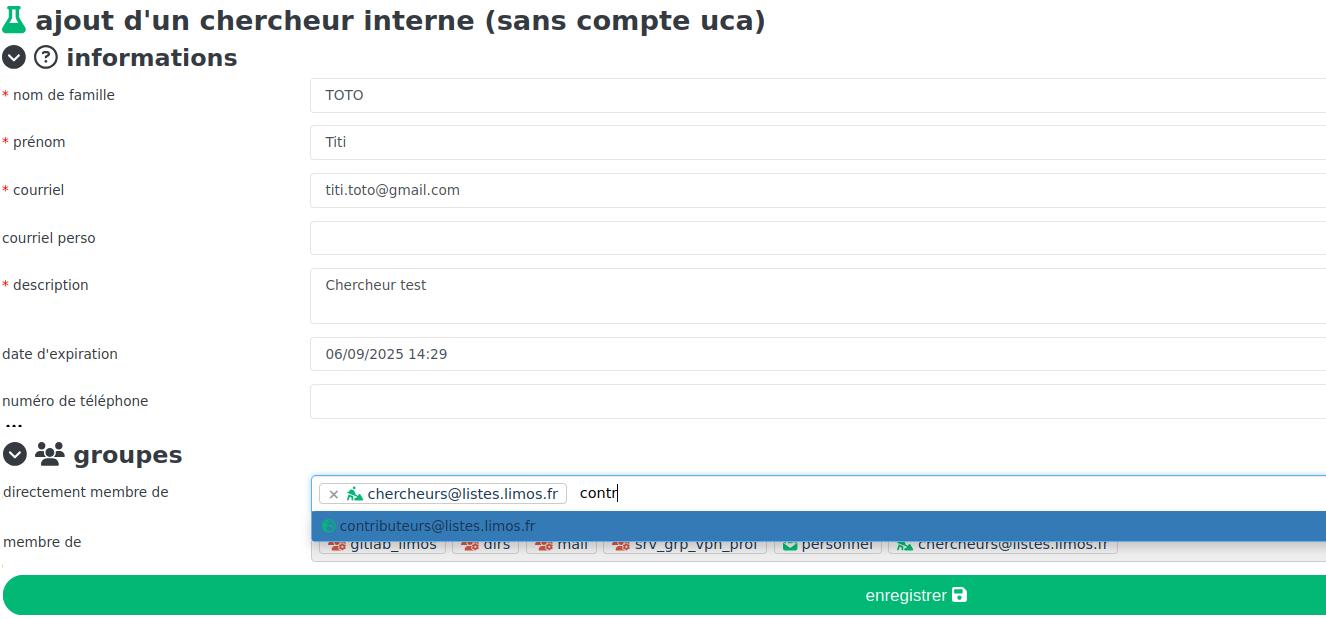
Once the form is completed, a request will be submitted to the IT service for validation.
Once the user is created, they will be visible to everyone in the information system; their username will start with the prefix iia_.
Before creating a user, ensure they do not already exist in the information system.