Vulnerability Scanner (Trivy)✯
The registry integrates Trivy, a scanner that analyzes your images for known vulnerabilities (CVE) in system packages and application dependencies.
What is it for?
An image, even an official one, may include libraries with security flaws. The scan allows you to identify these flaws, know their severity, and determine if a patch exists.
Run a manual scan✯
You must be at least a Maintainer of the project.
- Open your project > Repositories tab, then select a repository
- Check the artifacts (tags) to analyze
- Click SCAN
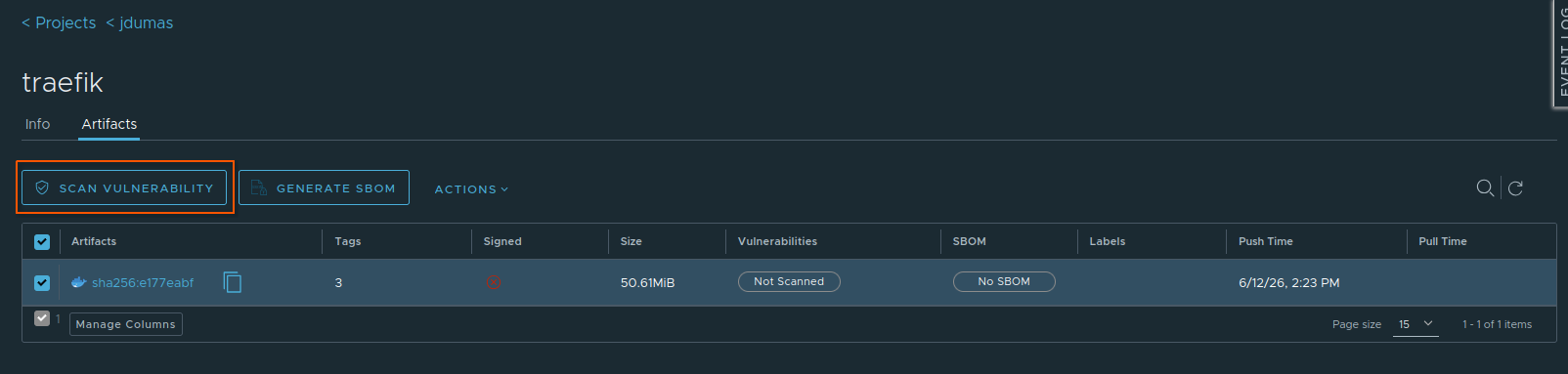
The scan runs in the background; the status progresses from Queued to Done.
Automatic scan on push✯
The project can be configured to automatically scan each image as soon as it is pushed.
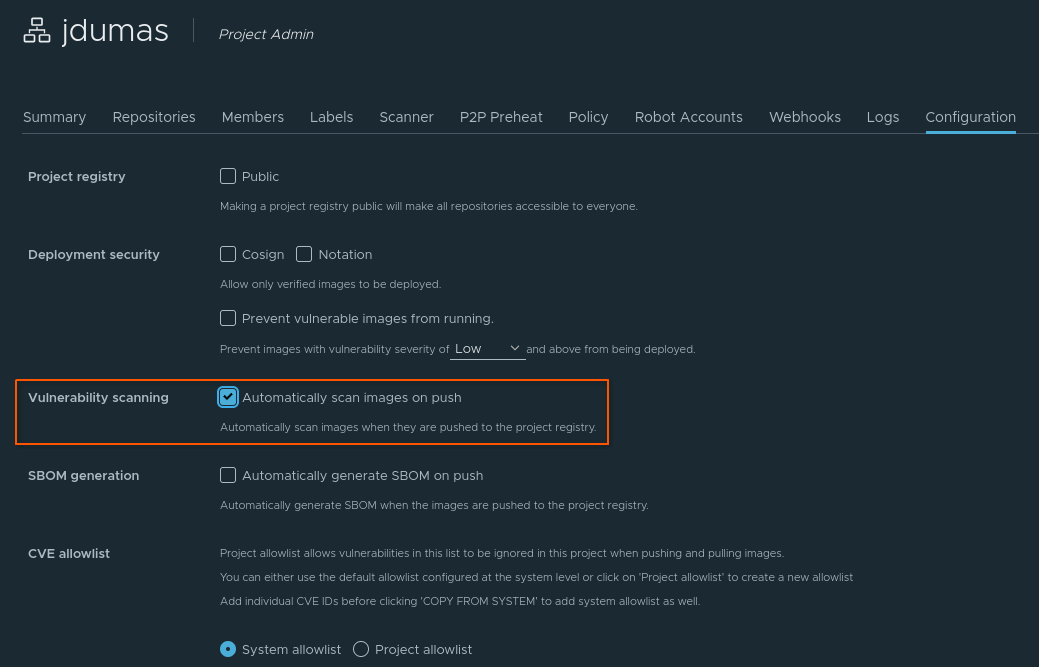
- Open your project > Configuration tab
- Check Automatically scan images on push
- Save
Reading the results✯
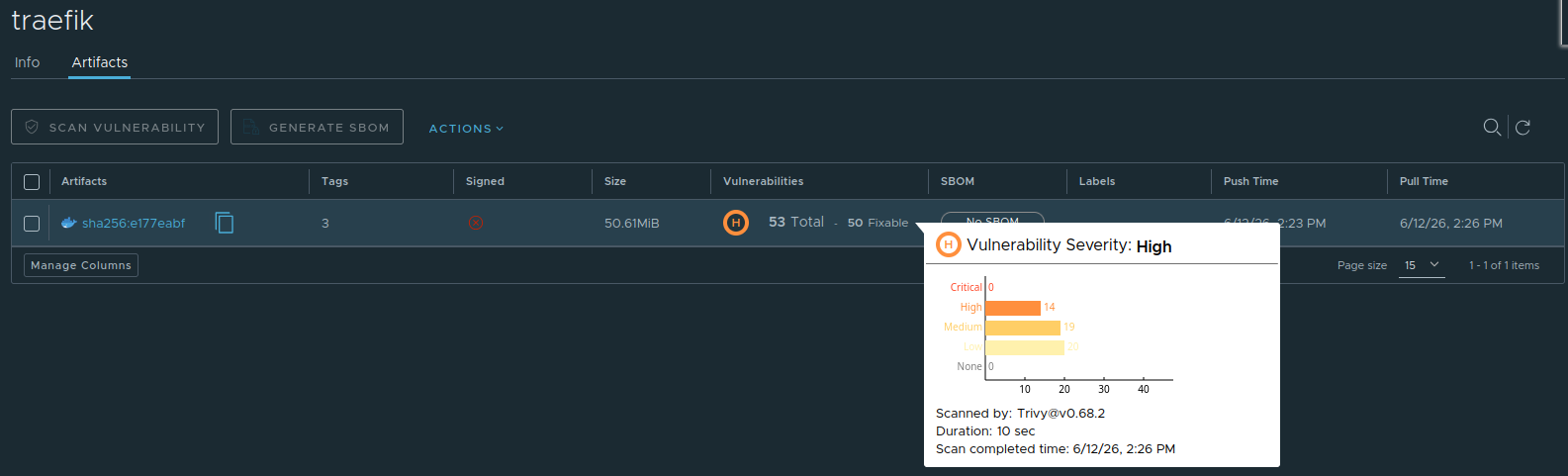
The Vulnerabilities column displays a summary color-coded by severity level:
| Color | Meaning |
|---|---|
| Green | No vulnerabilities detected |
| Blue | Low severity vulnerabilities |
| Yellow | Medium severity vulnerabilities |
| Orange | High severity vulnerabilities |
| Red | Critical severity vulnerabilities |
| Gray | Unknown status (image not scanned) |
The summary also indicates the total number of vulnerabilities and how many are fixable. You can hover over the icon to see the breakdown by severity level.
Detailed report✯
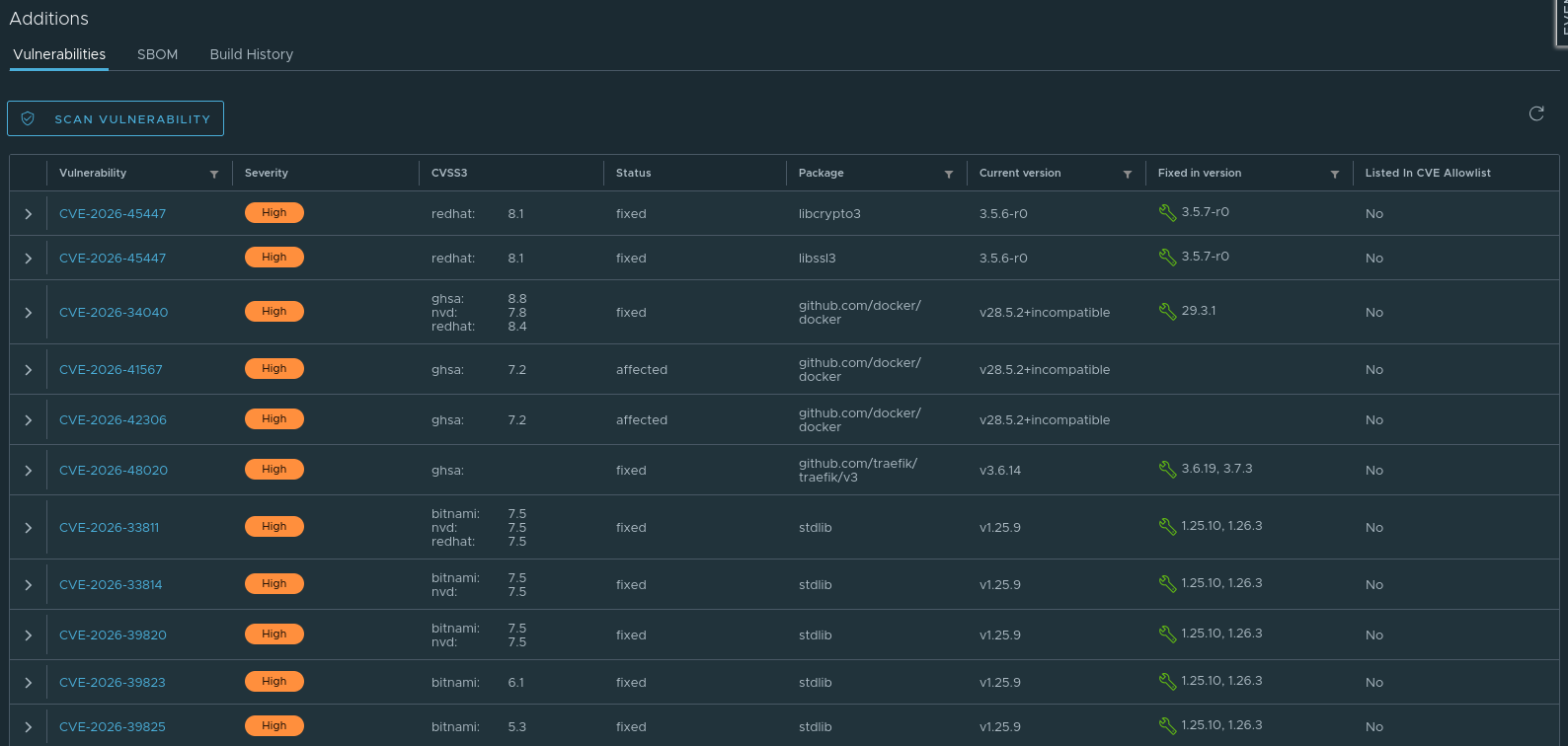
Click on the artifact’s digest to open the full report. For each vulnerability, you will find:
- the CVE identifier (with a link to its description),
- the affected package and its installed version,
- the severity level,
- the fixed version when a patch exists.
You can sort and filter the list by column, and rerun a scan directly from the report.
What to do with the results?✯
Reducing vulnerabilities in your images
- Update your base image (
docker pullthe latest version, then rebuild). - Prefer minimal base images (
alpine,-slim,distroless): fewer packages, smaller attack surface. - Update the application dependencies flagged as fixable.
- Regularly rebuild and repush your images to incorporate patches.
CVE database update
Trivy automatically updates its vulnerability database. Rescanning the same tag later may reveal new vulnerabilities discovered in the meantime.