HAL at LIMOS✯
The submission of publications to HAL, in addition to being promoted by the CNRS, is the only way the lab will have to retrieve information about your publications.
Therefore, it is one of the mandatory administrative procedures at LIMOS.
To properly manage your publications, you must:
- have a user account on HAL
- manage your deposition preferences
- have a unique HAL identifier: the idHal
- properly configure your HAL profile by indicating your ORCID account
- group your "author forms" under your idHAL
- ensure proper ranking of your publications by providing the exact names of journals and conferences and having a Google Scholar identity: ranking at LIMOS
For assistance in case of problems:
- managers of the HAL - LIMOS collection: Solène DROUET, Bastien DOREAU, and Vincent Mazenod
- a tool to check the ranking of your publications, import publications in bulk into HAL, etc. -> HALTOOLS
Managing Accounts on HAL and "Author Forms"✯
Whether for LIMOS or the CNRS, it is important that all your publications are grouped under a precise identifier associated with you.
However, there are three ways to identify a person on HAL:
- the author form: This is a string composed of your first name and last name. When another researcher has submitted a publication on HAL and cited you as a co-author, they will associate the publication with an "author form." This form is not necessarily associated with one of your user accounts but is linked to publications.
- the user account: This is created by you when you log in to HAL. With this account, you can submit publications under your name.
- the HAL identifier (idHAL): This is a unique digital identifier for each researcher, allowing you to group and manage all your publications and user accounts. You must have submitted at least one publication before you can request an idHAL. This identifier also helps your co-authors better identify you (and thus properly associate publications related to you with your profile).
Create a HAL User Account✯
Fill out this form https://hal.science/user/create
Be sure to enter your full first and last names (not "Doreau B." for example, but "Bastien Doreau") to minimize confusion with homonyms.
Provide an email address that is personal to you, as this account will be associated with you regardless of changes in laboratory or profession.
Once the form is validated, an email will be sent to you; click on the link provided to finalize your registration. You can then log in and complete your profile and preferences (see below).
Manage Your Deposition Preferences✯
When logged in, you can manage your deposition preferences
You will notably be asked to complete:
- your research domains
- your affiliated laboratory
- your deposition preferences
You can have multiple affiliations.
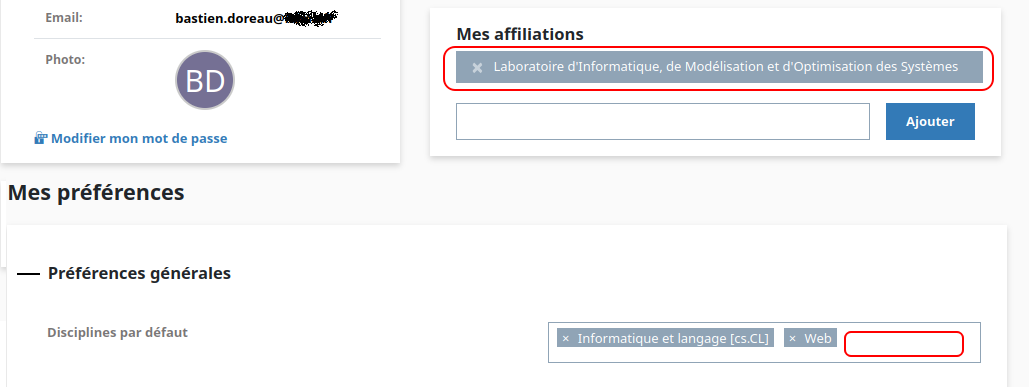
This information can be modified at any time.
Create a HAL Identifier (idHAL)✯
You can only create a HAL identifier from a user account and if you have submitted at least one publication.
Once logged into your user account, you can create your idHAL
- You will need to provide an identifier
- You can associate it with other research identifiers (arXiv, ResearchGate, Google Scholar, etc.)
- The LIMOS policy also requires that you have an ORCID and associate it with your idHAL account
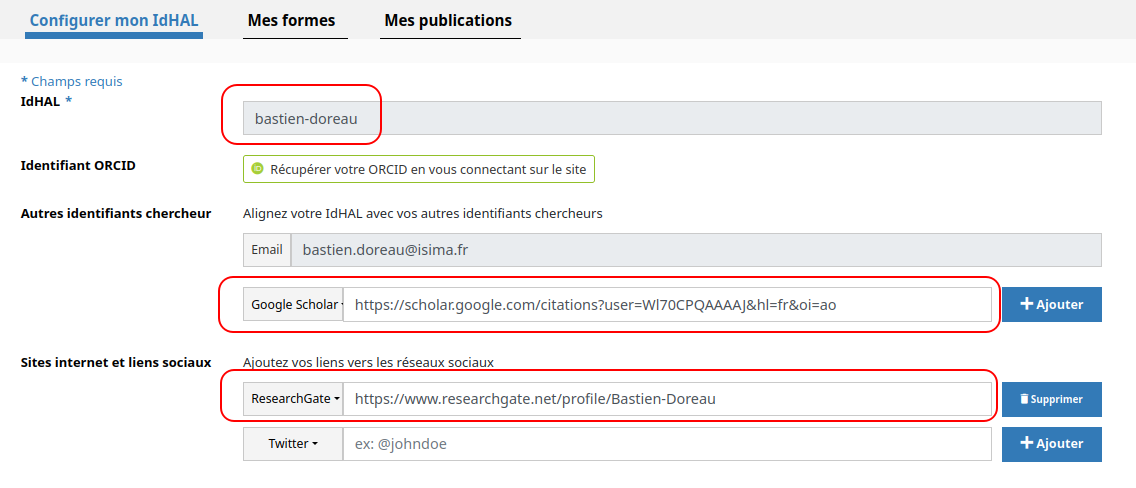
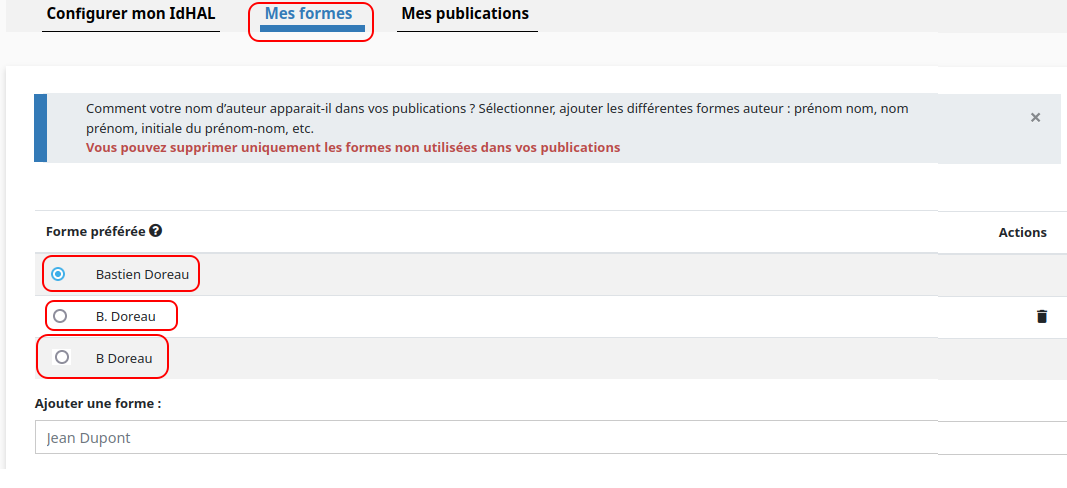
In the "My Forms" tab, you can also associate your idHAL with the different author forms corresponding to you. This way, all publications linked to your various author forms will be grouped under the same HAL identifier.
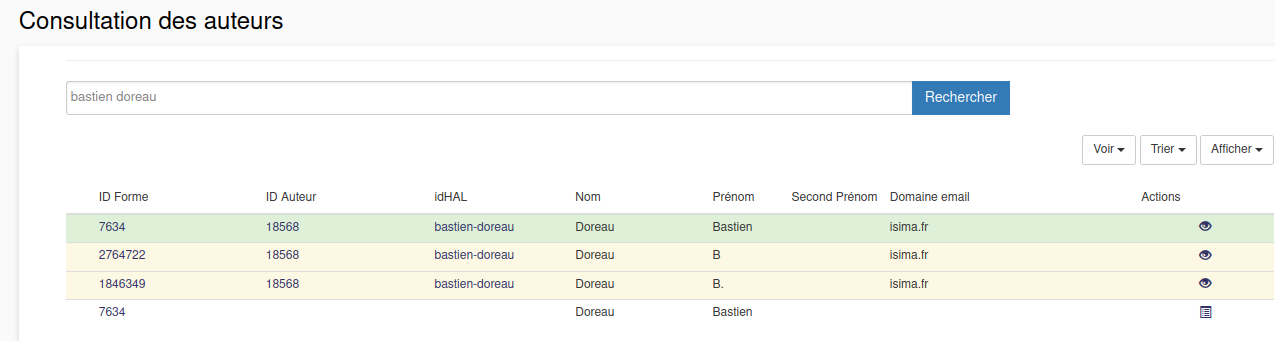
You can check on AuréHAL which author forms exist that can be linked to your idHAL with:
- author forms in yellow
- id_hal in green
If you cannot find a publication submitted with one of your 'author forms'!
This is likely because another researcher has claimed this author form in their idHAL.
Report this to vincent.mazenod@isima.fr, solene.drouet@uca.fr, or bastien.doreau@isima.fr
We are in contact with the CCSD correspondents in Auvergne and can request to regularize your situation.
Submitting to HAL✯
Log in from the lab's collection at https://cnrs.hal.science/LIMOS
Publications will thus be stamped (processed and validated) by the UCA managers handling scientific publications, resulting in a much faster process than if you log into the general HAL interface.
The HAL submission form has been simplified. Click on Submit.
It is possible to submit from a PDF. The PDF's metadata will be analyzed and retrieved, and you will only need to finalize the submission by completing the document's metadata if necessary, the authors' details (taking care to associate the correct lab), and validating.
Be sure to correctly enter the name of the journal or conference. This information will later be used to assign a score to the publication based on the SJR (SCIMago) and CORE lists (see below under Publication Ranking).
You can also enter the DOI (Digital Object Identifier) if your document has one.
If your publication is not under embargo and does not contain sensitive information (health data, military, etc.), attach the PDF of your publication to the submission to comply with the lab's Open Science policy.
In case of problems, contact vincent.mazenod@isima.fr, solene.drouet@uca.fr, or bastien.doreau@isima.fr
Best Practices
- For the same presentation at two different conferences, use a different name; HAL might consider two publications with the same title as a duplicate.
Import and Ranking of Publications in the Intranet✯
Importing Data from HAL✯
Every day, the LIMOS IT department imports publications linked to LIMOS (to its collection) from HAL and displays them on the website.
When you submit, it is therefore important to indicate that the publication was produced at LIMOS (see "User Account and Deposition Preferences" to automate this).
Publications are categorized by author and publication type, and it is possible on the website interface to filter by these two fields.
Publication Ranking✯
The scientific ranking files from Scimago and Core are retrieved, and a match is made between the journal/conference name of the article and that indicated in these ranking files.
Scores are then assigned to publications whose journal/conference matches.
The result is visible on the publications page only if you are logged in.
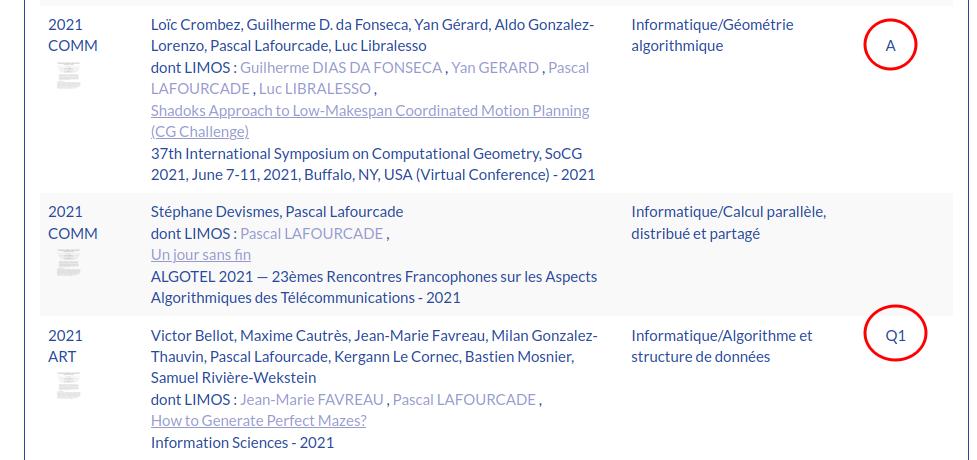
The source files from Scimago and Core used for matching are here (only if you are logged in). When submitting a publication to HAL, be sure to enter the exact name of the journal or conference.
If a publication is not ranked (i.e., without a score) when it should be, you can test the ranking of a conference or journal or use the Haltools tool.
Note that the current year's ranking files are not provided by Scimago or Core.
Google Scholar Citations✯
LIMOS also uses the number of Google Scholar citations to qualify publications (taking potential biases into account).
If it does not exist, please create a Google Scholar identity. The IT team will regularly check for missing accounts to integrate them into the LIMOS IT system.
Only publications produced at LIMOS are considered; every two months, an update of the citation counts per publication is performed and reported on the intranet.
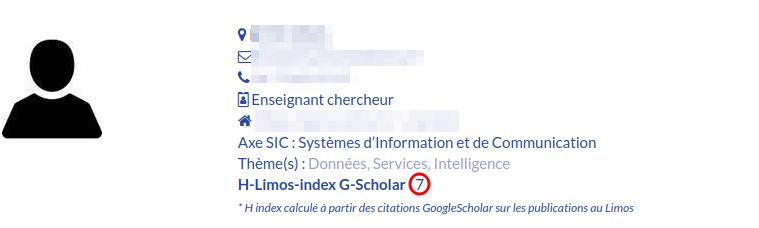
This results in a score called the h-limos-index, which is equivalent to your h-index for LIMOS publications.
This is displayed under your profile (if logged into the intranet).
Summary of Your Activity✯
You can retrieve a summary of your research activity (at LIMOS only) in the LIMOS intranet: "Intranet/My Documents" tab at the bottom of the page.
This summary is a ZIP file containing a PDF with your publications and their scores and citation counts, the co-authors of these publications, the partner organizations with which you have published, as well as several resulting graphs; and the same raw data in CSV format.
This page is updated several times a year.
Haltools✯
A HAL toolbox has been designed at LIMOS for researchers and HAL collection managers: haltools.limos.fr
You can log in with your UCA credentials.
Haltools: Tools for Researchers✯
- search_data_hal: Enter dates and a list of users to retrieve all publications by these users between those dates.
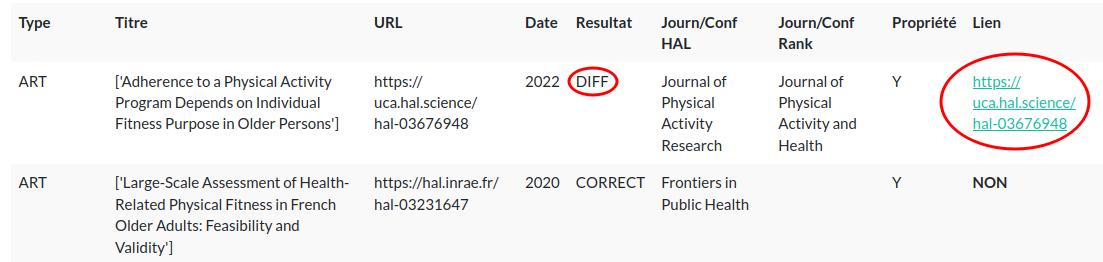
- Fix_hal_ranking: Enter your identifiers; you will receive a table indicating misranked publications, a conference/journal name textually close (found in the Scimago/Core files) to what the author indicated, and a link to the HAL publication to modify it (if you are the owner).
Haltools: Tools for Collection Managers✯
- Bibtex_2_Hal: From a researcher's publications on the DBLP website, allows batch imports into HAL, useful for those with many overdue publications.
If you are a researcher interested in this option, contact solene.drouet@uca.fr or bastien.doreau@limos.fr
Useful Information✯
HAL API Commands✯
The HAL API uses a SOLR syntax; it can be queried by anyone and returns results in different formats.
Retrieve all publications (regardless of lab) recorded on HAL for an author using their idHal in Bibtex format
In the URL below, replace the idHal with yours ...:pascalafourcade... -> ...:vincent-mazenod...
https://api.archives-ouvertes.fr/search/?q=authIdHal_s:pascalafourcade&start=0&rows=1000&fl=uri_s,halId_s&wt=bibtex
Retrieve all publications (LIMOS only) recorded in the HAL LIMOS collection for an author using their idHal in Bibtex format
In the URL below, replace the idHal with yours ...:pascalafourcade... -> ...:vincent-mazenod...
https://api.archives-ouvertes.fr/search/LIMOS/?q=authIdHal_s:pascalafourcade&start=0&rows=1000&fl=uri_s,halId_s&wt=bibtex
Retrieve publications published between 2014 and 2019 recorded in the HAL LIMOS collection for an author using their idHal in Bibtex format
In the URL below, replace the idHal with yours ...:pascalafourcade... -> ...:vincent-mazenod...
https://api.archives-ouvertes.fr/search/LIMOS/?q=authIdHal_s:pascalafourcade&start=0&rows=1000&fl=uri_s,halId_s&wt=bibtex&fq=producedDateY_i:%5B2014%20TO%202019%5D
Practical Information about the HAL Interface - FAQ✯
This interface is quite comprehensive, but some actions are not very intuitive.
You are a co-author of a publication submitted to HAL; how do you get rights to modify it?
It is possible to ask someone to share ownership of a publication. Go to My Space / My Ownership Shares / Request Ownership of a Submission
I have requested ownership shares for several publications, but nothing...
This action requires a response from the contacted person and may take some time. To check the status, go to My Space / My Ownership Shares / Request Ownership of a Submission / Requests awaiting response
A colleague has submitted a publication of which you are a co-author. Sometimes you are recognized, sometimes not. What is happening?
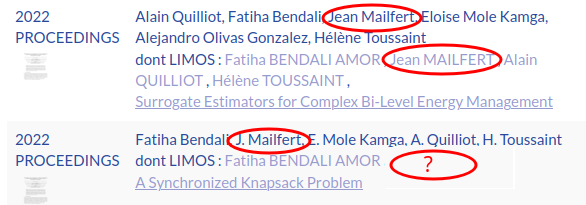
It all depends on how the publication was submitted, whether with your full first and last names or not. To be properly recognized, either the submitter must modify the metadata to correct the name/first name, or—better yet—you should retrieve these publications by indicating in your profile the different author forms that correspond to you (in this case, you would associate the form J. Mailfert with your idHAL).
Correcting Problems Between HAL and the LIMOS Information System✯
You have all your publications on HAL, but when you check your publications on the LIMOS site under your profile, you notice discrepancies.
To verify your publications on the LIMOS site, find your profile in the directory, then click on All Publications
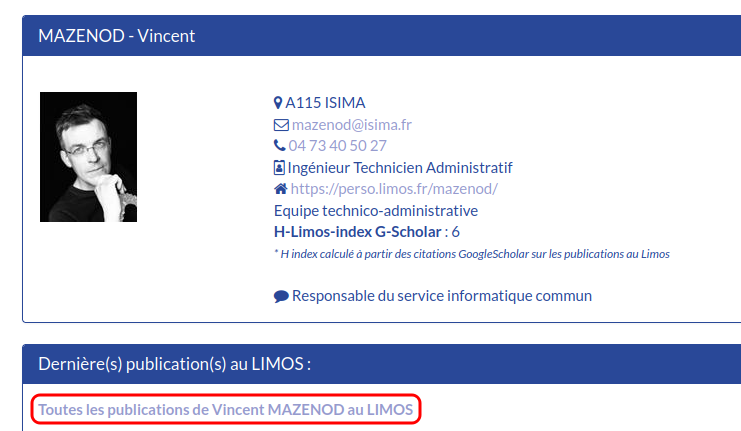
Several ways to resolve this issue:
You Should Only See Publications Produced Within LIMOS✯
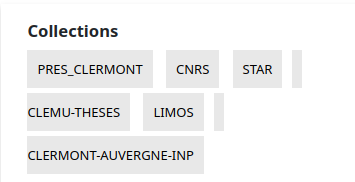
The publications displayed on the LIMOS site are those that appear in the HAL LIMOS collection. Normally, we should only have publications produced by researchers when they are part of LIMOS.
A publication made in another lab should not appear in the LIMOS collection.
On HAL, you can verify the collections linked to a publication in the frame on the left of the summary.
Check Your Affiliations✯
LIMOS researchers must have an affiliation with LIMOS when submitting a publication for it to directly appear in the LIMOS collection.
You can have multiple affiliations (LIMOS + EMSE, for example).
If you have submitted many publications without the LIMOS affiliation when it should have been included, follow this correction procedure
Group Your Author Forms with an idHAL✯
You have publications correctly tagged in the LIMOS collection but do not see them under your profile on the LIMOS site.
It is possible that the person who submitted the publication cited you as a co-author but used a text field (an author form) for your identity.
To fix this, the best practice is generally to have an idHAL
If you already have an idHAL, you can group your author forms under your idHAL.
Finally, you must indicate your idHAL in the LIMOS intranet under your identity.
To modify your identity on the LIMOS intranet, log in to https://limos.fr, then click on the 'Intranet / Site Administration' tab. You will find your identity in the 'People' section of the intranet.
Adding Publications to the LIMOS Collection✯
This process can be lengthy and complex depending on the number of publications to add to the collection.
If you have control (i.e., are the owner) of all problematic publications, you can log into each to indicate an additional collection (that of LIMOS).
If you are not the owner of the publication, you can request co-ownership (on HAL in the dropdown tabs on the right) to perform this operation.
If it is difficult for you to recover ownership of these publications, you can (with the approval of your theme or axis leader) send us a list of HAL URLs for these publications so that we (the collection managers) can add the LIMOS collection to each of them.
HAL Documentation✯
HAL Practical Guide Good documentation to get started with HAL
Video Tutorial on Submitting to HAL