Robot Accounts✯
A robot account is an automated identifier, dedicated to a project, allowing tools (CI/CD pipelines, scripts, deployment servers…) to pull and/or push images without using your personal account.
Why use a robot account?
- Security: the robot is granted only the strictly necessary permissions (e.g., pull only).
- Independence: the robot does not depend on your SSO session or your personal secret CLI, which may change.
- Revocation: a robot can be disabled or deleted without impacting your account.
This is the recommended method for GitLab CI/CD integration.
Create a robot account✯
You must be a Maintainer or Project Admin of the project.
- Open your project > Robot Accounts tab
- Click NEW ROBOT ACCOUNT
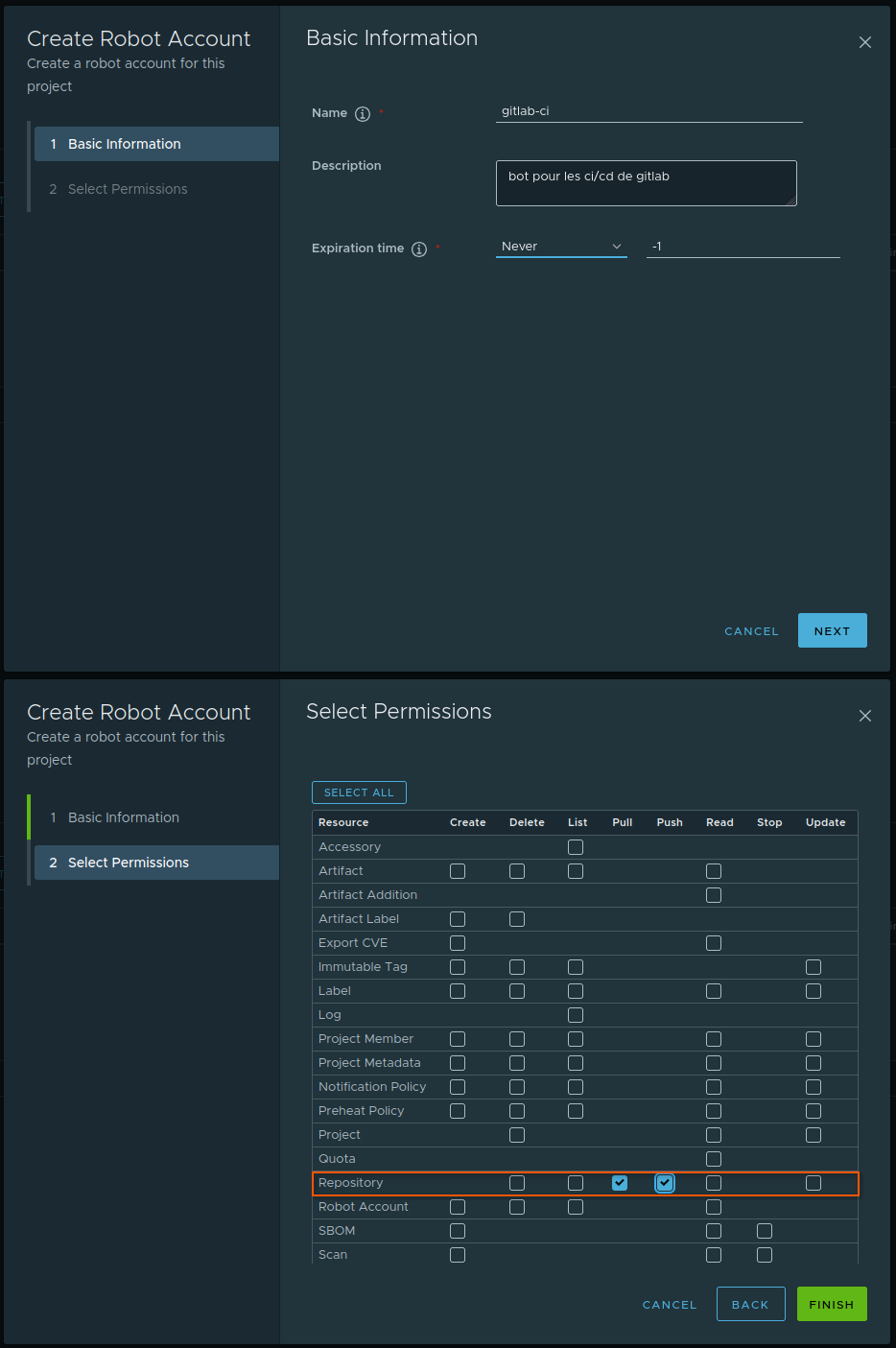
- Fill in:
- a name (e.g.
gitlab-ci) and an optional description - an expiration date (or Never Expired)
- the permissions (see below)
- a name (e.g.
- Validate
Selecting permissions✯
Permissions are granted by resource (Repository, Artifact, Tag, Scan…) and by action (Pull, Push, List, Read…). Grant the robot only what it truly needs.
| Need | Resource → Action to check |
|---|---|
Retrieve images (docker pull) |
Repository → Pull |
Push images (docker push) |
Repository → Push (+ Pull) |
| List repositories | Repository → List |
| List and read artifacts | Artifact → List + Artifact → Read |
| List tags | Tag → List |
Push implies Pull
The Repository Push permission must always be accompanied by the Repository Pull permission.
Robot for a GitLab pipeline
Typically, a single robot is used for both pull/push in the pipeline and to populate the Harbor Registry view of the GitLab integration. In this case, grant it:
- Repository → Pull, Push, List
- Artifact → List, Read
- Tag → List
The List/Read actions are distinct from Pull/Push: a robot that can push images cannot list the project content unless these permissions are explicitly checked.
Robot name✯
The robot account is named according to the following scheme:
robot$<project>+<name>
For example, a gitlab-ci robot in the mon-projet project will have the identifier robot$mon-projet+ci.
Retrieve the secret✯
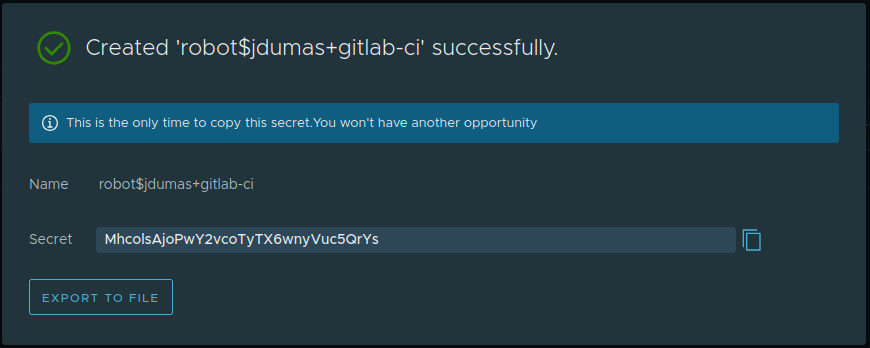
Upon creation, Harbor displays the robot's secret only once.
Copy the secret immediately
Harbor does not store the secret in plain text: it is impossible to retrieve it later. Copy it (or download it) and store it securely (secret manager, masked CI/CD variable…). If lost, regenerate it (button … > Refresh Secret).
Using a robot account✯
Usage is identical to a standard docker login, using the robot's identifier and its secret:
docker login registry.isima.fr -u 'robot$mon-projet+gitlab-ci' -p '<ROBOT_SECRET>'
In scripts or CI
Pass the secret via standard input rather than as an argument:
echo "$ROBOT_SECRET" | docker login registry.isima.fr -u 'robot$mon-projet+gitlab-ci' --password-stdin
Beware of the $ character in the robot's name: enclose it in single quotes to prevent shell interpretation.
Managing robot accounts✯
From the Robot Accounts tab, you can at any time:
- Disable / re-enable a robot
- Edit its permissions or expiration
- Regenerate its secret (Refresh Secret) — the old secret is then invalidated
- Delete the robot
Further reading✯
- GitLab CI/CD integration : using a robot in a pipeline