Linux Clients✯
VPN Connection✯
To connect to an ISIMA/LIMOS server from outside the network, install and use OpenVPN.
Installing Remmina✯
On Ubuntu:
sudo apt install remmina
Remmina is then available in the Applications menu > Internet > Remmina ...
Configuring Remmina✯
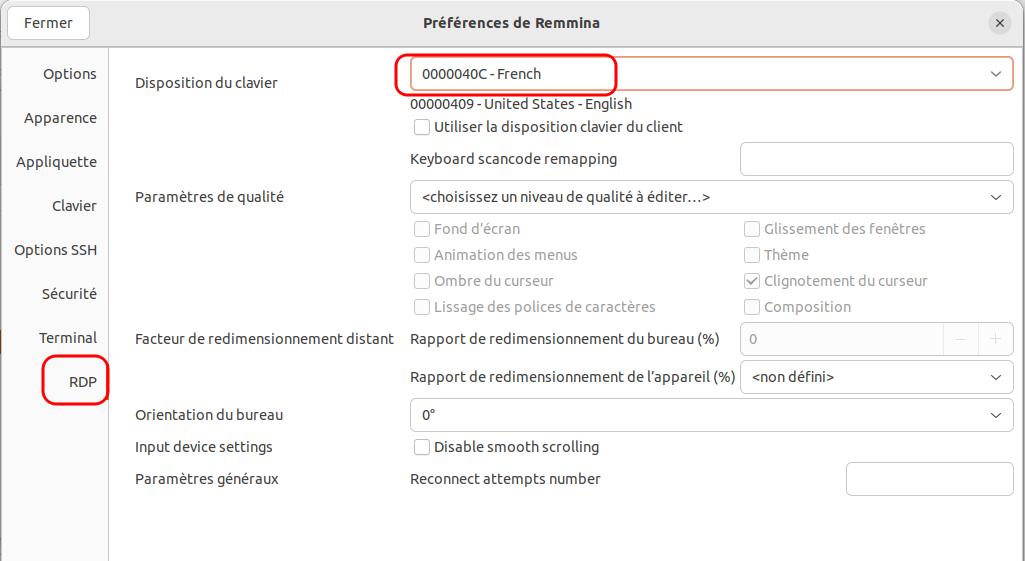
Click on the "burger" menu and select Preferences (or Ctrl+p)
In the RDP tab, specify your keyboard layout (select French for Azerty keyboards)
Connecting a Linux machine to a Windows machine/server✯
Create a new RDP connection (top-left tab) in Remmina✯
From outside the network, the VPN connection must be active for the connection to work!
Fill in the fields:
- Name to find your connection in Remmina's list
- Server to indicate the server name, add the domain name
.local.isima.fr. For TSE1, for example, entertse1.local.isima.fr(if you encounter issues, you can try the server's IP) - Username to pre-fill the authentication form, use your UCA username for a shared server
- Domain, enter
local - Color depth under Windows, the correct setting is "True color (24 bpp)"
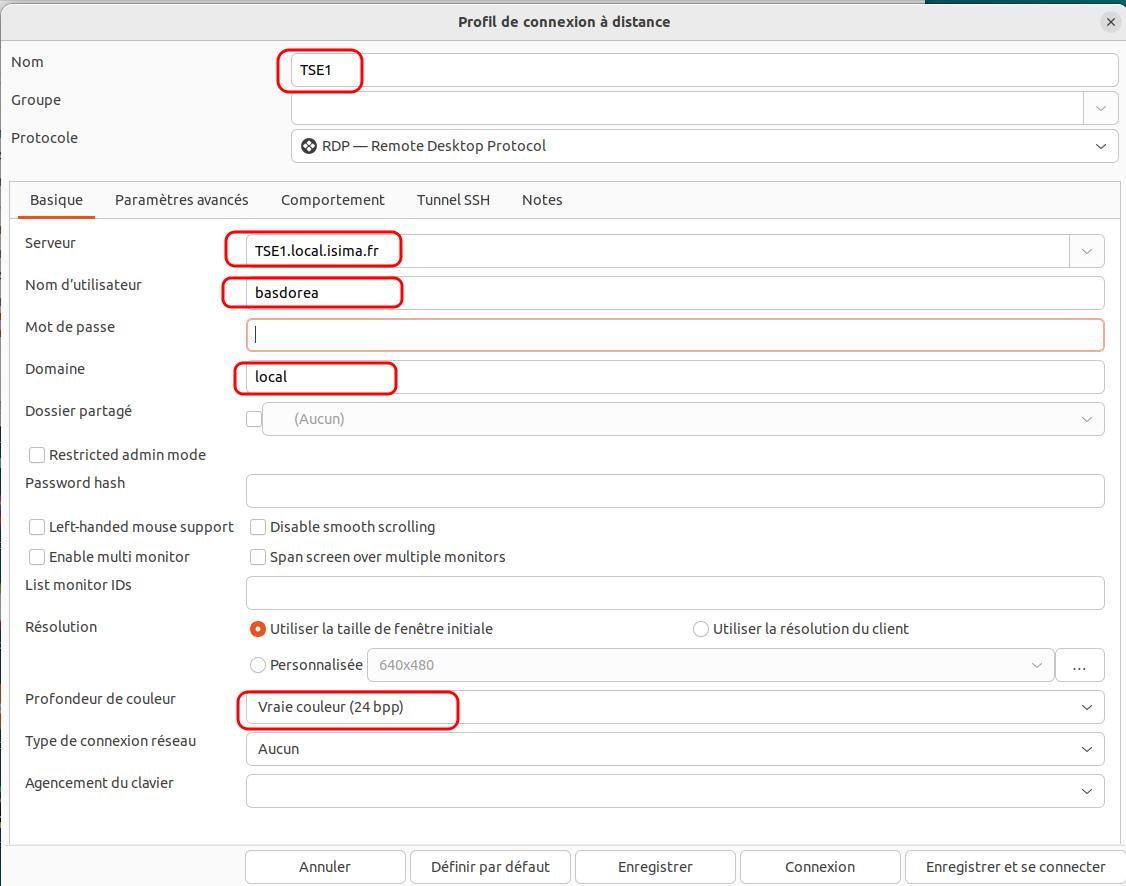
Click Save, The connection will then appear in the list. Double-click to launch the connection.
Connecting a Linux machine to a Linux machine/server✯
Create a new RDP connection (top-left tab) in Remmina✯
From outside the network, the VPN connection must be active for the connection to work!
Fill in the fields:
- Name to find your connection in Remmina's list
- Server to indicate the server name, add the domain name
.local.isima.fr. For ADA, for example, enterada.local.isima.fr(if you encounter issues, you can try the server's IP) - Username to pre-fill the authentication form, use your UCA username for a shared server
- Domain, enter
local - Color depth under Linux, the correct setting is "GFX RFX (32bpp)"
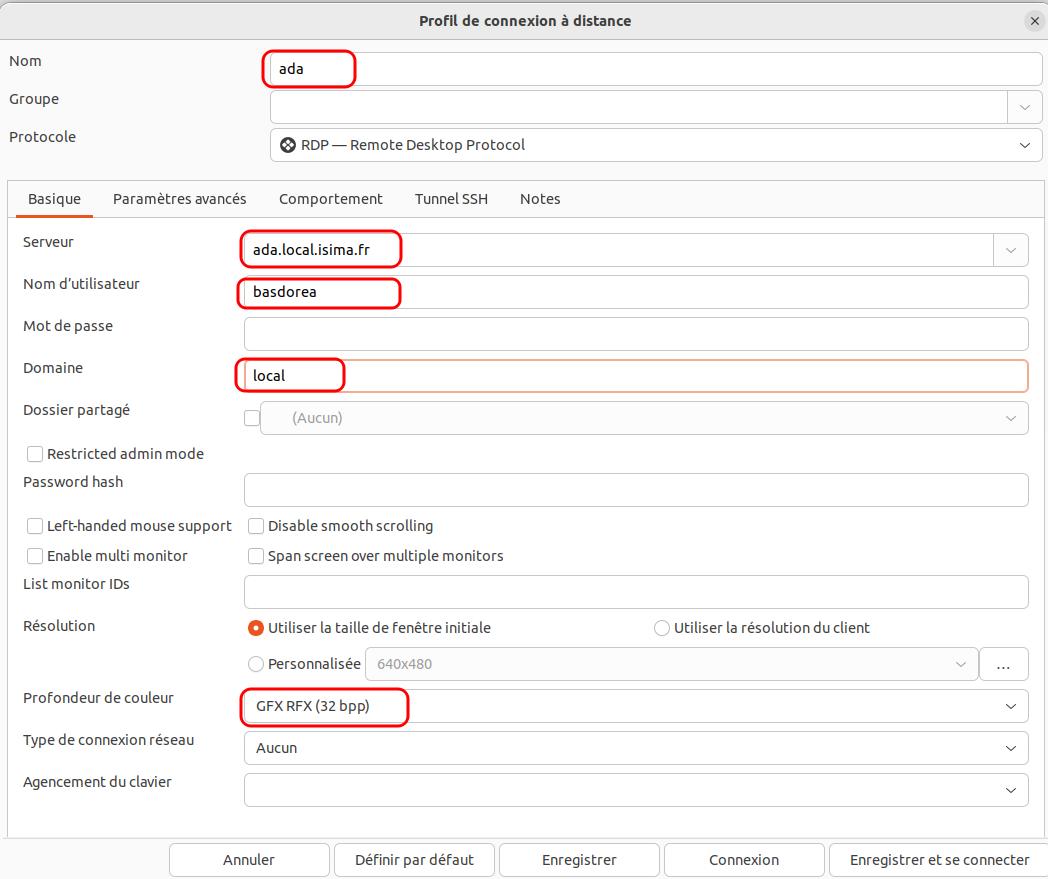
Click Save, The connection will then appear in the list. Double-click to launch the connection.
On some Linux servers, the keyboard may switch to Qwerty (pre-save your password or set the language to FR in the settings)