VPN Connection Procedure✯
macOS✯
Note that the screenshots were taken with an older version of macOS and Tunnelblick; the interface may differ slightly
-
In the Tunnelblick menu (top right), click "Connect limos" or
vpn-proforvpn-etudepending on your profile: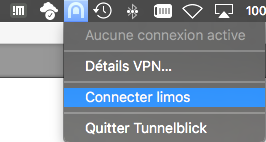
-
Enter your credentials (your ISIMA account and password). You can check "Save in Keychain" for the username to avoid re-entering it each time:
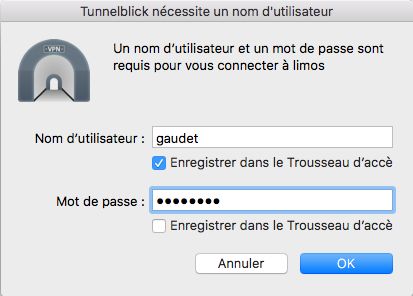
-
Once connected, the Tunnelblick menu bar icon indicates the active connection. You can check the connection status and log via "VPN Details…".
Disconnection✯
In the Tunnelblick menu (top right), click "Disconnect" followed by the name of the active connection (e.g., "Disconnect limos").